 CodeKabir
PrestaShop development
Freelance PrestaShop developer for custom modules, upgrades and existing stores
I develop and fix PrestaShop stores: custom modules and functionality, changes to existing stores, version upgrades, integrations with other systems and debugging. You work directly with the developer, not an agency.
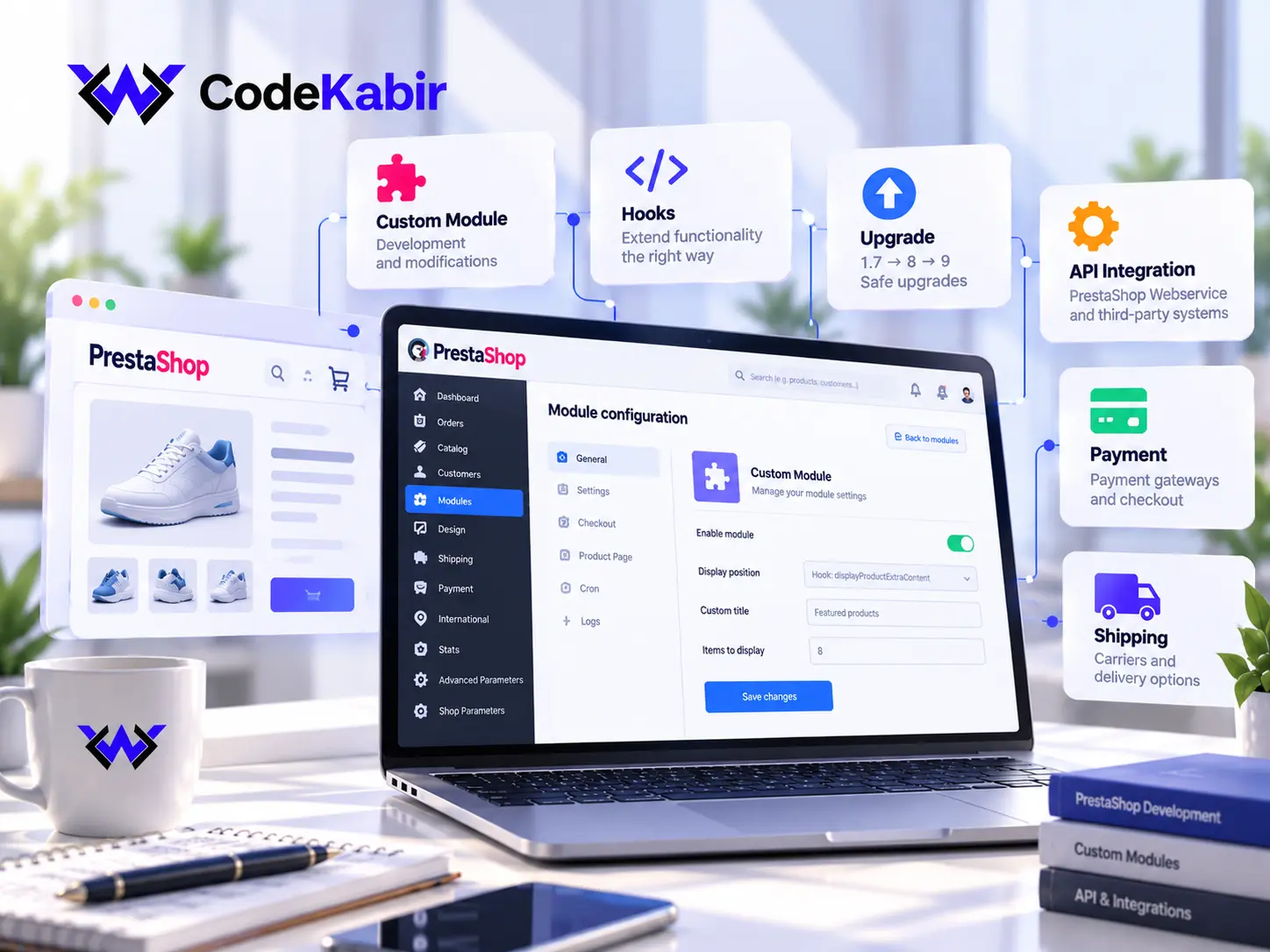
PrestaShop development services
Development, upgrades, integrations and maintenance for PrestaShop stores, grouped by the kind of work involved.
Existing stores & customisation
Changes to a store that is already selling, made without putting orders at risk.
- Taking over an existing PrestaShop store
- Checkout customisation
- Back-office customisation
Custom modules
Functionality PrestaShop and its marketplace don't provide, built as a module of its own.
- Custom module development
- Changes to existing modules
- Module debugging and conflicts
Upgrades & migrations
Moving a store to a supported PrestaShop and PHP version, with its modules and theme checked.
- PrestaShop version upgrades
- Version migrations
- PHP compatibility work
API & integrations
Connecting the store to the other systems the business runs on.
- Webservice API integrations
- Payment and carrier integrations
- ERP, CRM and marketplaces
- Catalogue feeds, imports and exports
Maintenance, fixes & performance
Keeping the store updated and fixing what stops it from working well.
- Bug fixing and debugging
- Performance investigation
- Updates, security patches and backups
Front end & new stores
Theme changes on existing stores, and new stores where PrestaShop is the right fit.
- Theme and front-end changes
- Responsive fixes
- New PrestaShop stores
Taking over an existing PrestaShop store
Most PrestaShop stores have years of modules, overrides and theme changes behind them. Before changing anything, I review how the store is actually put together:
- PrestaShop version. Which release the store runs, and whether it still receives fixes.
- PHP compatibility. The PHP version on the server, and what the current release and modules support.
- Installed modules. Which modules are active, where they come from, and which ones are no longer maintained.
- Overrides. Classes or controllers overridden by modules or by hand, since they are a common source of conflicts.
- Hooks. Which modules are attached to which hooks, especially on the product page, cart and checkout.
- Theme and customisations. Whether the theme is a parent, a child theme or edited directly, and what was changed.
- Integrations. Payment, shipping, ERP or other systems already connected, and how.
- Hosting and environment. Server setup, staging availability, backups, cron jobs and access.
Understanding the existing code first is what keeps a small change from breaking the checkout, and it gives you a clear picture of what can be improved, including checkout and back-office customisation.
Custom PrestaShop module development
When PrestaShop and the modules on its marketplace don't do what your store needs, a custom module adds that functionality in a way PrestaShop is designed for: self-contained, configurable and removable.
What a custom module can handle
- Checkout features: extra fields, conditional rules, order validation, customer-group logic
- Back-office screens and settings, so your team can manage the feature without a developer
- Product, price and order logic specific to how your business sells
- Front-office blocks on product, category or cart pages
- Connections to an external system, triggered by store events
How modules are built
- Hooks first. Modules attach to PrestaShop's hooks, so core files stay untouched. Overrides are used only when no hook exists, and are documented.
- Configurable. Settings live in the back office, not hard-coded, so behaviour can be adjusted without editing code.
- Checked against each upgrade. A module built on public hooks and APIs is far easier to carry forward, but each PrestaShop release still has to be tested; no module is upgrade-proof by default.
- Versioned. Module code is kept in Git with notes on what it does, so another developer can maintain it later.
Modifying and debugging existing modules
A module that conflicts with another, breaks after an update or no longer fits your process can often be fixed rather than replaced. Modules you own can be changed directly. For modules bought from a vendor, changes stay within what the licence allows, usually through a small companion module or a fix reported to the vendor.
Checkout and back-office features
Many custom modules change how orders are placed or managed: extra checkout fields, order validation rules, new statuses, back-office lists and exports for your team. These are built on PrestaShop's hooks and admin controllers rather than edits to core files.
Running WooCommerce instead? The equivalent there is a custom WordPress plugin.
PrestaShop upgrades and migrations
Older PrestaShop versions and the PHP versions they run on stop receiving fixes. An upgrade is mostly a compatibility project: the core update is the easy part, the modules and theme are where the work is.
- Audit the current store. PrestaShop and PHP versions, modules, overrides and theme, to decide the upgrade path.
- Check compatibility. Each module and the theme are checked against the target version: update, replace, adapt or remove.
- Plan the path. For example 1.7 to 8, or 8 to 9, sometimes in stages, together with the PHP version the target release requires.
- Upgrade a staging copy. The upgrade runs on a copy of the store first, never directly on production.
- Verify data and flows. Products, customers, orders and configuration are checked, and orders are tested end to end.
- Plan the release. Going live is scheduled with you, with a backup and a rollback plan.
Upgrades are planned to keep disruption low, but compatibility can't be guaranteed in advance for every module: some need an update from their vendor, a replacement or an adaptation, and that is part of the audit. Moving a store to or from another platform is a different project, where products, customers, orders and URLs each need their own plan.
PrestaShop API and third-party integrations
When a provider has a maintained PrestaShop module that fits your process, that's usually the right choice. When it doesn't, a custom integration connects the store directly.
What can be connected
- Payment providers whose module doesn't fit your checkout, or that have no PrestaShop module
- Shipping and carrier services: creating shipments, labels and tracking updates
- ERP and accounting software that needs orders, stock or invoices kept in sync
- CRM tools that should receive customer and order data
- Marketplaces and product feeds that publish your catalogue elsewhere
- Imports and exports of products, prices, stock or customers
- Your own business systems, through their API or files
How it's built
There are two directions. A module can react to store events, such as a validated order or a status change, and send data to the other system. Or the other system reads and updates the store through the PrestaShop Webservice API, with an access key limited to the resources it needs.
Large synchronisations, such as stock or catalogue updates, run as scheduled tasks rather than during checkout, and failed calls are logged so problems are visible instead of silently losing data.
Feasibility depends on the other system's documentation and test access, which I check before confirming the scope.
Maintenance, bug fixing and performance
Problems in a PrestaShop store usually come from the combination of modules, overrides, theme and server rather than from PrestaShop itself.
Bug fixing
- Errors and blank pages, traced through logs and debug mode
- Module conflicts and broken overrides
- Problems that appeared after an update
Performance
- Measuring which pages and modules are slow
- Removing unnecessary module overhead
- Images, caching and database queries
Maintenance
- PrestaShop, module and PHP updates
- Security patches
- Backups checked before every change
Performance work starts with measurement. Results depend on the hosting, the catalogue and the modules involved, so I report what was measured before and after rather than promise a number.
Theme and front-end changes
Front-end work on existing stores covers theme modifications, responsive fixes on mobile, changes to product and category templates, and adjustments to the cart and checkout pages. Where the theme supports it, changes go into a child theme so the original theme can still be updated.
New PrestaShop stores
I also set up new PrestaShop stores when PrestaShop is the appropriate platform: catalogue structure, payment and shipping configuration, theme work and the custom modules the business needs. If you are still choosing a platform, it's worth deciding that before anything is built.
PrestaShop
A dedicated e-commerce application, often chosen for stores where catalogue management and the shop itself are the core of the site.
WooCommerce
E-commerce inside WordPress, often chosen when content and the store live together on one site.
WooCommerce developmentNeither is better in general: the right choice depends on the catalogue, the team, the integrations and the existing site.
How a PrestaShop project works
Understand the store
You describe what needs to change or what is going wrong, and how the store is used day to day.
Audit the setup
For an existing store, I review the version, modules, overrides, theme and hosting before estimating.
Scope & quote
You get a written scope: what will change, the technical approach, a timeline and the quote.
Develop on staging
Work is done on a staging copy under version control, not on the live store.
Test
The affected flows are tested end to end: product pages, cart, checkout, payment in test mode and back office.
Deliver
Changes go live at an agreed time, with notes on what was changed and how to use it.
PrestaShop development questions
Answers to common questions about existing PrestaShop stores, custom modules, upgrades, integrations and how PrestaShop work is scoped and priced.
Can you work on an existing PrestaShop store?
Yes. I start by reviewing the PrestaShop and PHP versions, the installed modules, overrides and theme, so the estimate reflects the real state of the store and any risks are flagged before work starts.
Can you develop a custom PrestaShop module?
Yes. A custom module is the right place for functionality PrestaShop and the marketplace don't cover. It is built on PrestaShop's hooks, with its settings in the back office, and delivered with documentation.
Can you modify or fix an existing module?
Usually, yes. Modules you own or that were built for you can be changed directly. For modules bought from a vendor, what's possible depends on the licence; often the cleaner option is a small companion module, or a fix reported to the vendor.
Can you upgrade an older PrestaShop store?
Yes. The upgrade is planned after checking every module and the theme against the target version and its PHP requirements, then run and tested on a staging copy before going live. Some modules may need to be updated, replaced or adapted.
Can you connect PrestaShop to another system?
If the other system offers an API, or can exchange files, usually yes. Feasibility depends on its documentation and on test access, so I check those before confirming the scope.
Do you build new PrestaShop stores?
Yes, when PrestaShop is the right platform for the project. The setup covers the catalogue structure, payment and shipping configuration, theme work and any custom modules the store needs.
How is a PrestaShop project priced?
Per project. The price depends on the scope and on what the review of your store shows, so there is no public price list: you receive a written quote once the work is defined.

Need work on a PrestaShop store?
Describe the change, the module or the problem, and the PrestaShop version if you know it. I'll reply with questions or a first estimate.
Request a quote
Tell me what you want to build, fix or improve. I'll read your message, ask any questions I need, and reply with next steps or a first estimate. There's no public price list: every quote is based on your actual project.
- Phone+212 671 855 177
- LocationMarrakech, Morocco